Many pages claim to be a Perchance AI video generator. But Perchance is not a reliable native AI video generator. Most of those pages are community-made tools, demos, or links to outside services. This is why people looking for a real text-to-video workflow often end up confused about what Perchance can actually do.
Perchance is great for free images and text tools, not for steady video generation you can trust for real work. If you are comparing AI video options or trying to decide whether Perchance is safe and usable for video creation, this guide explains what Perchance is, why many Perchance video generators fail. When a page may be risky. how to use Perchance images with more dependable video tools instead. so you can avoid wasting time, exposing your data, or paying for the wrong tool.
My quick answer
I checked Perchance pages and recent user threads. I found a lot of hope. But not a clear, stable video tool run by Perchance. Some pages make slides. Some load another site in a frame. Some stop at a demo gate. Others fail when you try to view or save the clip.
So, is there a Perchance AI video generator? Not in the way most people mean. A user can publish a generator page on Perchance. That page may call an outside video service. The video work does not come from a core Perchance video model.
Verdict: Use Perchance to make source images or story ideas. Move those images to a known image-to-video tool. Do not give camera access, a password, or payment data to a random community page.
How Perchance works
Perchance is a community-driven platform where people build and share generators. A generator can make text, game ideas, names, images. many other things. users can build and share generators without signing up. The page maker writes the rules. That open model is fun. But it can be confusing.
A page title is not proof of a built-in service. Anyone can call a page “AI Video Generator.” The page may use:
A link to a video site
An outside app shown in a frame
A short trial from another company
A set of images played like a slide show
A button with no working video system behind it
This is why two Perchance video pages can act in very different ways. They may not share code, a model, or a host.
The native video problem
Video needs far more computer power than text or one image. image generation is far less resource-intensive than video. So a short clip is much harder to support on Perchance. A short clip may need many frames. Each frame must keep the same face, shape, light. motion. The cost rises fast.
Perchance is known for free, open generator pages. A steady video service would need costly machines, a queue, storage, safety checks. support. That creates a trade off between keeping a free, lightweight community model and adding expensive video infrastructure. So it does not match the light community-page model very well.
Recent users in the Perchance group report broken loads, demo locks. pages that do not save a clip. One thread asks if video generators work at all. the blunt user answer was often “no” or “not worth it.” Read the March 2026 user thread for the full context.
Why these video generators fail
There is no real backend
A page can show fields and a Generate button. That does not mean a model is ready behind it. If the maker left the page or removed a key, the front end may stay while the service is gone.
The outside demo has ended
Some pages use a free test from another site. The test may allow one clip, one day, or a small amount of time. Many perchance video generators technically exist only as thin wrappers around outside demos. So the generators on perchance are not robust native tools. They also often output animated images rather than actual video, even when the page still looks like a working tool. When the trial ends, the page may still look live.
A framed service hits a limit
Some community built generators rely on external services shown inside a frame. It may also set a rate limit. those external services often enforce rate limits. This leaves use limited and unreliable. You can see a blank frame, a load loop, or a message about a full version.
It is not true video
Some generators join still images with a fade or pan. So the video feature often amounts to simple animation such as loops, subtle shakes, or basic camera movement rather than actual video with full scene motion. Most of these tools also lack audio output and audio synchronization.
Image-to-video vs text-to-video
Path | What to expect |
|---|---|
Text to video | Describe a scene in natural language and ask a model to make all frames |
Image to video | Upload one image and ask a model to add motion |
Slide show | Move or fade still images with no new scene motion |
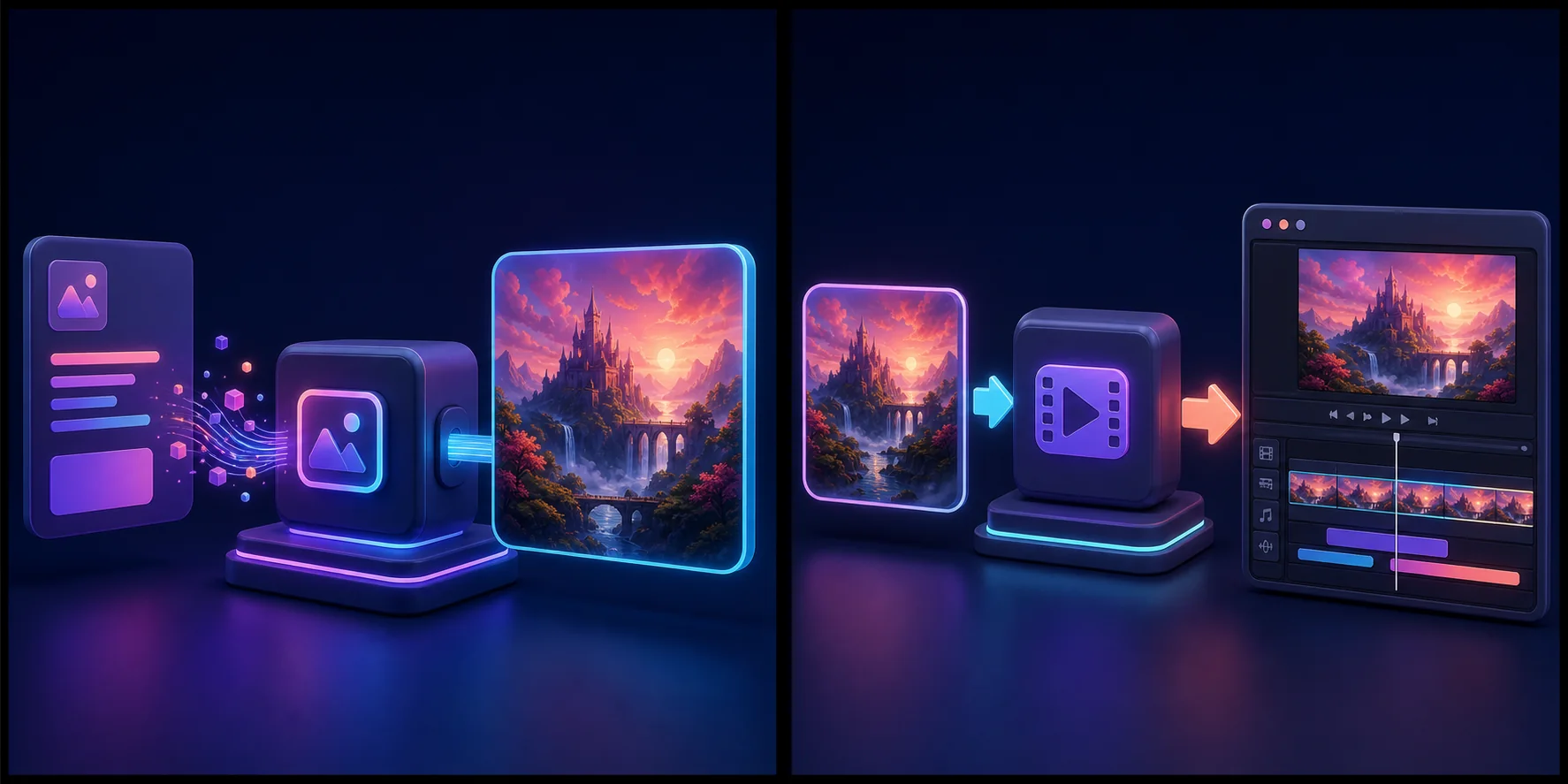
Image to video is the best match for Perchance. Perchance can help make the still image. While dedicated ai video generation tools are a better fit when you want a model to create the whole scene from a text prompt. This split gives you more control over the first frame.
A safe Perchance-to-video workflow
Make a source image on a known Perchance image page.
Save the largest clean version.
Check the hands, face, text. edges.
Crop for your target screen shape.
Upload the image to a trusted image-to-video tool. This workflow fits quick social media clips or early concept visualizations better than polished production work.
Write one small motion request.
Make a short clip first.
Save the good clip and repeat with the next image.
Join the clips in a video editor.
Add your own voice, music. captions.
Perchance is better for fast, lightweight creation. you will still need a separate editor to edit the final piece.
This sounds like more work than one click. It is. Yet it is also easier to debug. If the first frame is wrong, fix the image. If the motion is wild, change the motion prompt.
Write a small motion prompt
Avoid a full movie plot. Use the prompt box for short, focused motion prompts. ask for one move, such as:
“Slow push toward the red cup. Soft morning light.”
“The person blinks once and gives a small smile.”
“Leaves move in a light wind. The camera stays still.”
“Slow pan left across the room, with a slight zoom. No new objects.”
Small motion often keeps the source image intact. Big spins, fast walks. many new items can break the scene. the same prompt can still produce different motion. So smaller requests are easier to control.
Free and paid paths
Free video tools change often. A free plan may have a long wait, a small daily credit gift, a watermark, or a low output size. free options can help when you are starting. But paid tools usually offer steadier quality and support. A paid plan may be more steady. But price does not promise a good clip.
A May 2026 community thread lists a few outside options and also warns that Perchance itself is not the right place for steady video work. Treat each reply as one user’s report, not a fact for all users. The thread is still useful because it shows the common pain: long waits, short clips. unclear save rules. See the community discussion.
Before you pay, check:
How many credits one clip costs
Clip length and output size
Watermark rules
Commercial use terms
Whether failed jobs use credits
How to delete your uploads
Should you work on your own computer?
Open source video models can run on a local machine. This can give you more privacy and fewer content limits. It also needs a capable GPU, plus free drive space, setup time. patience.
Local work is not always free. You already paid for the computer and power. A clip may take a long time. Model files can be huge. If you make only a few clips each month, a web tool may cost less than new hardware.
How to spot a risky generator page
Stop if a random page asks for camera access when video creation does not need your camera. Stop if it asks you to install an odd browser file. Do not type a main password or card number into a community page.
One recent user said a so-called text-to-video page asked for webcam access. Other users warned that Perchance did not run that video service. You can read that April 2026 warning thread.
Use the address bar. Check the host. Open the privacy and price pages of the real service. If the name and host do not match, leave.
Common errors
“Video could not load”
The outside job may have failed, expired, or blocked the frame. Try the real service page. Do not keep sending the same job if it spends credits. On a weak page, each new attempt can waste time before any real result appears.
“Full version needed”
You likely reached a demo gate. Find the named host and read its plan. The Perchance page cannot remove that gate.
The result is just moving photos
The page may only create video-like motion rather than a full video. Save the images and use a trusted image-to-video model if you need to generate video with real scene changes.
The download button fails
Open the result on the real host if it is safe. A browser can block a download from a frame. If the host is not clear, do not proceed.
Who should use Perchance?
Perchance is still useful for:
Story ideas and shot lists
Free source images
Style tests
Character notes
Prompt play
It is best suited to casual exploration and meme creation, not production work.
It is not my pick for a paid client video, a firm due date, or a long set of steady clips. This matters especially compared with what serious creators need from a more reliable tool.
Frequently asked questions
Does Perchance support native AI video?
There is no clear, steady core Perchance video model. Native video generation is a feature many users expect. But Perchance does not offer it as a stable core tool. Community pages may call outside tools.
Can I make video for free?
Some outside services offer free credits or waits. Rules change. Check the real host before upload.
Does Perchance video include sound?
That depends on the outside service. Most image-to-video clips need sound added later.
Can I get HD or 4K?
A source image can be large. But the video size comes from the outside model and plan. Upscaling a weak clip does not fix bad motion.
How I would build a 20-second clip
First, I would write four short shots. Each shot would last about five seconds. I would use Perchance to test the look of each still frame, starting from one clear visual idea and keeping the same art style, light. color in every prompt, with style choices planned up front, such as Cyberpunk or Anime.
Next, I would save the four best images. I would not use a random Perchance AI video generator page. I would open the real site of a known image-to-video service. I would test one image with a small camera move.
If that test worked, I would make the other three clips. I would join them in a local video editor. Then I would add one voice track, one music bed. plain captions. This keeps the video generation step small and clear.
Three ways to keep a character steady
Reuse a clean source image
Do not ask text to video to remake the face in every shot. Start each image-to-video job from a source that shows the same face and clothes.
Keep the camera move mild
A fast spin forces the model to invent the back of a head, room, or coat. While a slow push or slight zoom asks for less new detail. Small moves often look more real.
Hide the cut
Cut when a hand crosses the frame. When the camera passes a wall, or when the screen goes dark. A smart cut can hide a small change between clips.
Perchance AI video generator checklist
Is the host really perchance.org?
Does the page name the outside video service?
Does it explain credits and limits?
Can you read a privacy page before upload?
Does the job need camera or mic access? If not, deny it.
Can you delete the source and result?
Can you use the output for your planned work?
If two or more answers are unclear, leave. There are many real video tools with plain plan pages. A free button is not a good trade for a private photo or a risky browser file.
Video generation check before you trust a page
Video generation needs a named model or outside host.
Video generation needs clear limits for time, size. credits.
Video generation should not ask for camera access without a reason.
Video generation should explain how to save and delete a result.
Video generation should show who runs the service.
Video generation should state what happens when a job fails.
If a video generator page hides these facts, use an alternative. A real AI video generator can still fail. But it should not hide the host, plan, or basic support path.
Quick safety recap
Start small. Check the host. Read the plan. Use a test image. Keep the prompt short. Ask for one move. Save each good file. Keep a local copy. Check each face. Check each hand. Read each sign. Add text later. Keep sound clear. Use music you own. Ask before using a face. Do not share a password. Deny odd camera requests. Stop after two bad tries. Track every cost. Note each wait. Keep the best clip. Delete old uploads. Check the final file. Then share with care.
Final verdict
The search term “Perchance AI video generator” makes the tool sound more complete than it is. Perchance can be a fine first step for images and ideas. It is not a steady one-stop video studio.
My safe path is simple: make a clean image, move to a trusted video host, ask for small motion. finish the clips in an editor. It is not magic. It works far better than chasing a button on a broken page.